


Later vs Planoly in 2026: Which Tool Fits Your Business?

TL;DR:
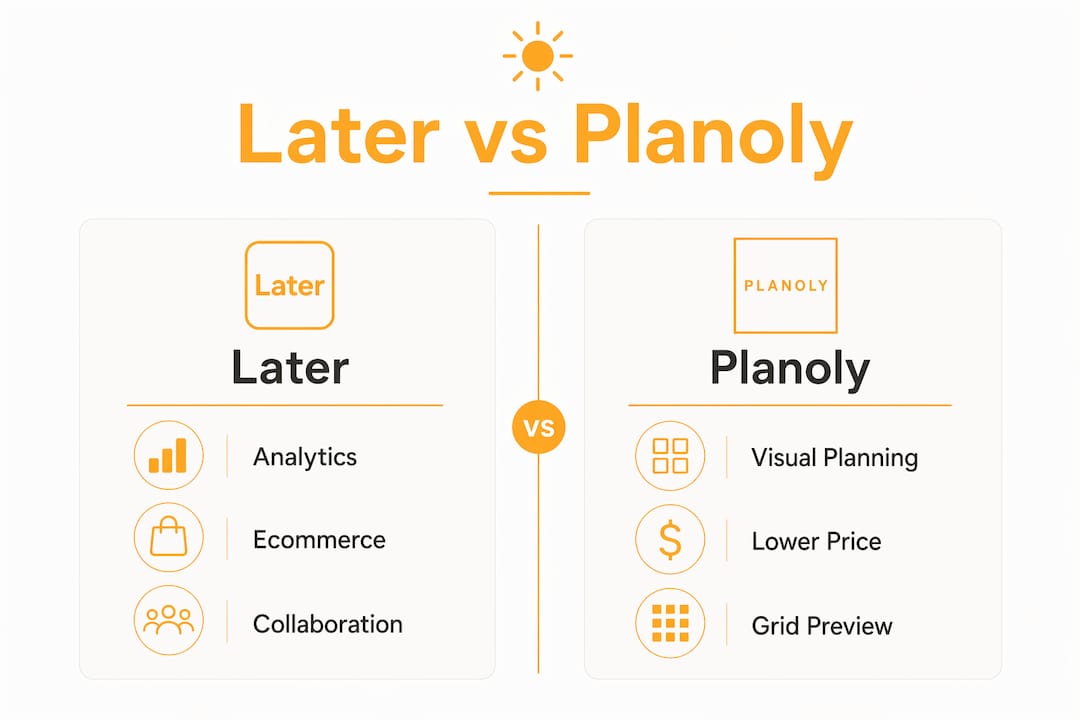
Later offers deeper analytics and better ecommerce features suited for influencer campaigns and product sales.
Planoly provides the best visual grid planning and a lower-priced mobile tier, ideal for solo creators and small businesses.
Later wins for analytics, ecommerce, and influencer campaigns. Planoly wins for visual grid planning, lower pricing, and access to a free mobile tier capped at 10 uploads per month. If you sell products through Instagram or need year-over-year reporting, Later is the stronger pick. If you are a solo creator or small business owner focused on feed aesthetics and budget, Planoly delivers more value per dollar at every pricing tier.
Feature | ||
Best for | Agencies, ecommerce brands, influencer campaigns | Solo creators, visual brands, budget-conscious owners |
Starting price | $25/month (Starter, monthly) | $14/month (Starter, billed annually; free mobile tier with 10 uploads/month) |
Analytics | Deep analytics, export options on higher tiers | Basic: post performance, limited audience data |
Platform compatibility | Instagram, Facebook, TikTok, Pinterest, LinkedIn, YouTube, Snapchat, Threads | Instagram, Pinterest, Facebook, TikTok, LinkedIn, YouTube, X (reminders), Amazon (reminders) |
Unique features | Advanced Linkin.bio with Shopify integration, influencer marketing via Mavely | Best-in-class grid drag-and-drop preview, caption writing assistant |
Business size fit | Small teams to agencies; scales with add-ons | Solo to small business; Starter locks to one user, one social set |
Both platforms started as Instagram-first visual planners, but they have grown in very different directions. Later has expanded into a multi-channel marketing hub with influencer tools, while Planoly has stayed lean and creator-focused.
How do Later and Planoly compare feature by feature?
Pricing and plan structure
Later’s three paid tiers run $25/month (Starter), $50/month (Growth), and $110/month (Scale), with a 25% discount on annual billing. The Starter plan covers a single social set and user with limited posting capacity per profile. Growth adds a second social set, two users, and 180 posts per profile. Scale plan offers expanded posting capacity, multiple social sets, several users, and advanced analytics. Add-ons for extra users or social sets are available on Growth and Scale, but not on Starter.
Planoly’s Starter is listed at $14/month billed annually ($16/month on monthly billing), making it noticeably cheaper at every tier. The catch: the Starter plan locks you to one user and one social set with no add-on options. To add a second user or social set, you must jump to the Growth tier at $24/month billed annually. For a solo creator, that is a great deal. For a small agency managing two brands, the forced upgrade adds up fast.
Pro Tip: Before committing to either platform, map out how many social profiles and team members you actually need. Planoly’s Starter looks cheap until you need a second social set and face a mandatory tier jump.
Analytics depth
Later provides increasing analytics depth across plans, with longer history and advanced reporting at higher tiers. For any business tracking year-over-year growth or reporting to clients, that retention window matters.

Planoly’s analytics cover post performance and basic audience data, which works well for creators who want to know which posts resonated. What it does not offer is the export flexibility or long-term data retention that Later provides on higher plans.
Platform compatibility
Later supports Instagram, Facebook, TikTok, Pinterest, LinkedIn, YouTube, Snapchat, and Threads. One notable gap: Later no longer supports posting to X as of the mid-2020s, so if X is part of your content mix, Later cannot help you there.
Planoly covers a similar core set but adds X and Amazon via reminder-based publishing rather than auto-posting. That means you get a notification to post manually rather than true automation. Neither platform supports Bluesky, Mastodon, or Google Business.
Visual planning and grid preview
Planoly’s grid drag-and-drop preview is best in class. It is the feature that built the platform’s reputation, and years of refinement show. You can rearrange posts visually, check color harmony, and plan your feed’s aesthetic before anything goes live. For brands where the Instagram grid is a core part of their identity, this is a genuine advantage.

Later’s grid preview is solid and functional, but most users and AI visibility analyses consistently rank Planoly’s implementation as more polished for pure aesthetic planning.
Linkin.bio and ecommerce
Later’s Linkin.bio integrates directly with Shopify, letting you track clicks and attribute sales back to specific posts. That connection between content and revenue is something Planoly’s basic link-in-bio tool does not offer. If you run an online store and want to measure which Instagram posts actually drive purchases, Later’s ecommerce layer is a real advantage.
Collaboration and team features
Later’s mid and top-tier plans offer collaboration tools including workflows and multiple users. The Starter plan is limited to a single user. Planoly mirrors this structure: the Starter tier is one user, and team features require upgrading. For small teams, both platforms charge extra for collaboration, so factor that into your total cost comparison.
AI features
Neither Later nor Planoly offers meaningful AI content generation. Planoly includes a limited caption-writing assistant, which gives it a narrow edge here. Later has AI credits on paid plans for scheduling optimization and some content tools, but neither platform replaces a content creation workflow. If AI-generated content is a priority, you will need a separate tool. For Instagram growth automation alongside your scheduler, platforms like Sogrow can complement either choice.
Customer support and free trial options
Later provides a 14-day free trial but no ongoing free plan. Planoly provides a 14-day trial plus a free mobile tier limited to 10 uploads per month, which lets you test the grid planning experience before paying. Later’s Scale plan includes priority support; lower tiers rely on standard channels. Planoly’s support is standard across plans.
Security and data privacy
Both platforms use standard industry security practices for social media management tools, including OAuth-based social account connections. Neither publishes a detailed public security certification page, so if your business has specific compliance requirements, contact each vendor directly before committing.
How do you choose between Later and Planoly for your business?
The right choice comes down to what your workflow actually demands, not which platform has the longer feature list.
Choose Later if you:
Sell products through Instagram and want to track revenue back to specific posts via Shopify
Need analytics history longer than a few months for client reporting or year-over-year planning
Run influencer campaigns or want to manage creator partnerships from the same platform
Schedule to Snapchat alongside other channels
Manage multiple brands with a small team and need approval workflows
Choose Planoly if you:
Prioritize feed aesthetics and want the best drag-and-drop grid preview available
Are a solo creator or small business owner with one brand and one social set
Want the lowest entry price and a free mobile tier to test before paying
Post to X or Amazon and need at least reminder-based support for those channels
Prefer a simpler interface without the complexity of a multi-channel marketing hub
A few questions worth answering before you decide: Do you need more than one user on day one? Do you post to X? Do you sell products directly through Instagram? Each answer points clearly toward one platform or the other.
The pricing structure for your content calendar also matters as you scale. Planoly’s Starter is the most affordable entry point, but the forced upgrade to Growth when you need a second social set or user can make the total cost comparable to Later’s Growth plan. Run the math for your specific setup before assuming Planoly is always cheaper.
SOL Social Media helps you get more from your scheduling tools
Picking the right scheduling tool is one decision. Knowing what to post, when to post it, and how to turn followers into customers is a different challenge entirely.

SOL Social Media works with small businesses across California to build social media strategies that go beyond the scheduler. While Later and Planoly handle the when and where of posting, SOL handles the strategy, copywriting, and audience engagement that make the content worth scheduling in the first place. The agency offers full social media management, monthly content planning, social media audits, and customized training for business owners who want to run their own accounts with more confidence. Every piece of content is written by a real person who understands your brand voice, not generated by a template.
If you are ready to stop guessing at your content strategy and start seeing consistent results, explore SOL’s social media services to find the right level of support for your business.
FAQ
Which is better, Planoly or Later?
Later is better for analytics, ecommerce, and influencer marketing. Planoly is better for visual grid planning, lower pricing, and a free mobile tier. The right choice depends on your workflow and budget.
Later discontinued its free plan and now offers a 14-day free trial on all paid tiers, with paid subscriptions starting at $25/month.
Is the Later app legit?
Yes. Later is a well-established social media scheduling platform used by brands, agencies, and creators worldwide. Its Starter plan is priced at $25/month, and it supports eight major platforms including Instagram, TikTok, and Snapchat.
Which is better, Later or Buffer?
Later and Buffer serve different needs. Buffer starts free and stays affordable for basic scheduling, while Later offers deeper analytics, a Linkin.bio with Shopify integration, and influencer tools that Buffer does not match. For ecommerce or analytics-heavy workflows, Later is the stronger option.
Does Planoly have a free plan?
Planoly offers a free mobile tier limited to 10 uploads per month, plus a 14-day free trial on paid plans. It’s enough to experiment with grid planning and basic scheduling, but not sufficient for a full content workflow.
Key Takeaways
Later wins on analytics and ecommerce; Planoly wins on visual planning and price, making the right choice entirely dependent on your specific workflow and team size.
Point | Details |
Pricing gap | Planoly Starter is $14/month (annual) versus Later Starter at $25/month, and Planoly uniquely offers a free mobile tier with 10 uploads per month, a real difference for budget-conscious owners. |
Analytics advantage | Later retains up to 2 years of analytics on its Scale plan; Planoly covers basic post performance only. |
Grid planning | Planoly’s drag-and-drop grid preview is best in class for aesthetics-driven brands and solo creators. |
Ecommerce fit | Later’s Linkin.bio integrates with Shopify for direct sales tracking; Planoly’s link tool is basic. |
SOL Social Media | For businesses that need strategy and content beyond scheduling, SOL Social Media offers full social media management and training tailored to small business goals. |
Recommended
Comments