


30-Day Grand Opening Social Media Plan for Small Teams: Caption Copy
- Elana Rheinhart
- 1 day ago
- 7 min read
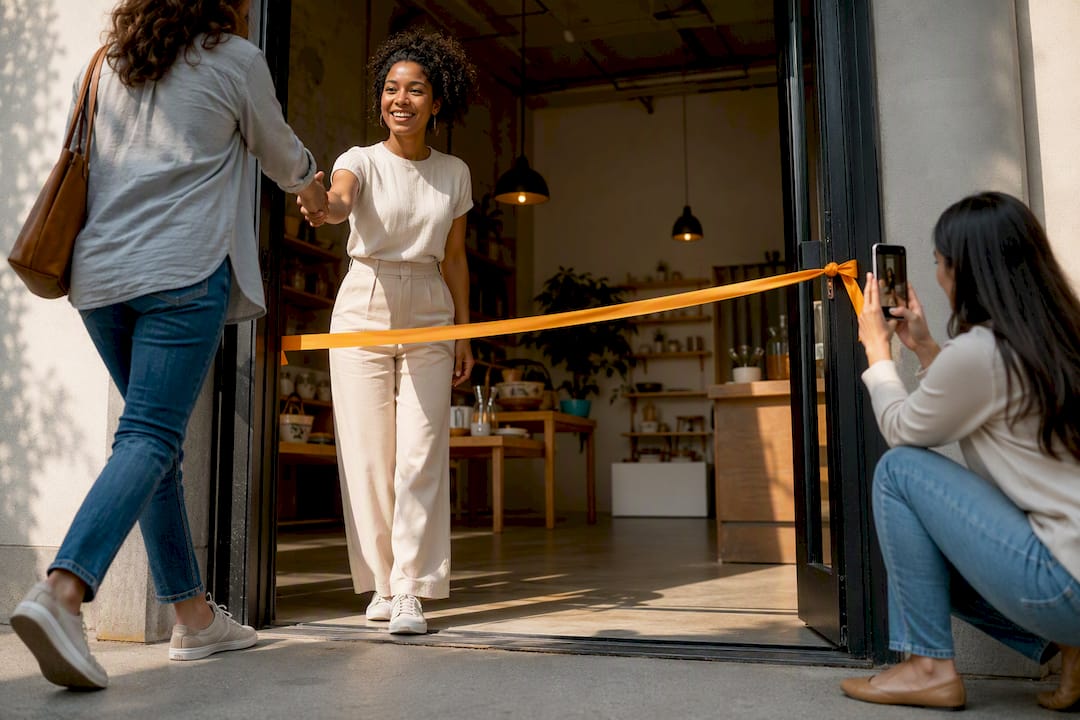
Run a 30-day pre-launch plan built around teasers, incentives, influencer outreach, and live coverage on opening day. That sequence reliably builds a warm local audience before your doors open, and it gives you reusable content long after. Some social media agencies build this exact playbook for small business clients, and one rule sits above everything else: the first line of every post has to say you’re open or “save the date,” followed by a single clear call to action.
TL;DR:
Building a strong social media infrastructure before launch, including profiles, branding, and a media kit, is crucial for attracting local attention.
A 30-day pre-launch timeline with weekly focus on profile setup, influencer outreach, contests, and targeted ads helps create momentum and engagement.
Posting a mix of reels, stories, live videos, and announcement posts at optimal times maximizes reach and encourages user interaction.
Assigning a dedicated content creator and community manager on opening day ensures capturing the event’s energy and maintaining engagement.
Post-event follow-up with reels, reviews, and local promotions transforms initial buzz into sustained business growth.
How Do You Set Up Social Media for a Grand Opening?
Before you write a single caption, get the infrastructure right. This is the boring part, and it’s also the part most owners rush, which is why so many grand opening posts land with nobody watching.
Claim or update every profile you’ll use, and write a short bio that states your opening date and links to an RSVP or landing page.
Set matching cover and header images across platforms so the page looks finished, not half-built.
Create one event hashtag, a simple RSVP or landing page, and a one-page media kit with your logo, two or three high-res photos, and a short founder bio. That kit makes it far easier for local press or creators to write about you fast, according to Golden Openings’ 30-day playbook.
Assign three roles now: a content lead, a community manager who answers comments and DMs, and a photographer or videographer for the day itself.
Decide your incentive, whether that’s a discount, a freebie, or VIP first access, and write down exactly how the giveaway mechanics will work.
Set aside a small paid ad budget with geo-targeted paid social ads limited to a 3 to 10 mile radius around your location.
Pro Tip: Write your bio and landing page copy before you design a single graphic. Chasing a headline after the visuals are done almost always produces a weaker call to action.
What Is a 30-Day Pre-Launch Timeline for Social Media?
Shopify’s guidance on building grand opening buzz recommends a 4 to 6 week runway of teasers, influencer previews, countdowns, and contests, and DineOpen’s restaurant launch playbook puts the minimum at 28 days for setting up accounts and Google Business Profile before opening day. Thirty days is the sweet spot for most small businesses: long enough to build real momentum, short enough to keep urgency high.
Week 4: Finish your profiles, shoot teaser images of the buildout or the team, verify your Google Business Profile, and post your first “save the date” announcement.
Week 3: Reach out to local micro-influencers and offer soft-invite previews; start a small paid ad flight to warm up your local audience.
Week 2: Launch a contest or giveaway, ramp up Reels and Stories production, and set up your RSVP page with automated email reminders.
Week 1: Post a daily countdown, lock in influencer confirmations, finalize on-day logistics, and shift ad spend into retargeting anyone who has engaged so far.
Track a handful of numbers each week rather than staring at vanity metrics: new followers, RSVP count, ad click-through rate, and overall engagement rate. DineOpen suggests building toward 300 to 500 engaged local followers before opening day, a realistic target for most storefronts running a full 30-day push. If Week 2 numbers are flat, that’s your signal to increase ad spend or recruit another local creator, not to wait and hope Week 4 fixes itself.
What Should You Post Before and During Your Grand Opening?
Format matters as much as timing. Medianug’s research on grand opening posts points to four fundamentals: match the platform’s audience, use strong visuals, lean on user-generated content and local creators, and post when your audience is actually online.
15 to 30 second Reels or TikToks showing the buildout, staff, or product in action outperform static posts for reach.
Stories with countdown or question stickers invite quick interaction without asking much of the viewer.
Live segments on opening day, even short ones, capture energy that a photo can’t.
Single-image announcement posts still work for the initial “save the date” and final “we’re open” moments.
Three captions you can adapt right now:
Announcement: “We’re opening [date] at [location]. Tap the link to RSVP and be first through the door.”
Incentive: “First 50 customers get [offer]. Show up early, tag us, and it’s yours.”
UGC prompt: “Snap a photo inside and tag #[YourHashtag] for a chance to be featured on our page.”
Peak windows vary by platform: mornings and late afternoons work best for LinkedIn, evenings tend to perform for TikTok, and midday through early evening covers most Instagram audiences. Check the best times to post for your specific platform mix before locking your schedule, and browse engaging post formats to stretch one photo shoot into a week of content.
Pro Tip: Shoot one strong video on opening day and cut it three ways: a 15-second Reel, a 60-second recap for Facebook, and three Stories frames. One shoot, three platforms, no reshoots.
Who Should Run Social Media on Opening Day?
Put a dedicated content lead on shooting and posting. Don’t hand the phone to whoever’s already running the register or greeting customers, because split attention produces missed moments and blurry photos.
Assign one person whose only job that day is capturing content and posting.
Set an hourly cadence: an arrival highlight, the ribbon-cutting, one standout candid moment, and a closing thank-you post as doors close.
Set up a UGC station with clear signage encouraging visitors to tag your hashtag, tied to your incentive from the checklist above.
Have your community manager monitor comments and DMs in real time, and write a one-page crisis plan for the obvious problems: lost items, long lines, a parking crunch.
How Do You Keep Momentum After a Grand Opening?
The 48 hours after your event decide whether the buzz turns into repeat business or fades.
Publish a highlights reel and a photo carousel within 48 hours of closing.
Post a thank-you tagging every partner, vendor, and local creator who showed up.
Send a follow-up email with a specific offer to everyone who RSVP’d or signed up onsite.
Ask for reviews with a direct link and a one-line request, no guilt trip required.
Repurpose your strongest user-generated photos and clips into a small paid ad set targeting the same local radius.
Run a 7-day post-launch promotion aimed squarely at converting first-time visitors into repeat customers.
What We See Working for Grand Opening Clients
Owners tend to underestimate how much a grand opening runs on logistics, not creativity. Most of the failure points we see aren’t bad captions. They’re a missing content lead, a giveaway with no clear mechanic, or ad spend that starts the week of the event instead of three weeks earlier.
Some agencies typically handle the full arc for grand opening clients: building the 30-day strategy, running live coverage on the day itself, setting up and managing the geo-targeted paid ads, and training a staff member to keep momentum going afterward. You can see how that community-facing work looks in practice through SOL’s community involvement programs.
DIY works fine if you have a team member who can dedicate real hours to this for a month straight. If your staff is already stretched thin running the actual business, hiring it out usually pays for itself in the attendance difference alone.
— SOL Social Media
Ready to Book Support for Your Launch?
A DIY grand opening push can work, but it competes for your time against everything else opening week throws at you: inventory, staffing, last-minute repairs. There are agencies that exist so you don’t have to choose between running your business and running your launch. They build the 30-day strategy, set up geo-targeted paid ads, cover the event live, and train your team to keep posting after stepping back.

If you want hands-on coverage for the event itself and ongoing management afterward, our social media engagement services cover both. Schedule a free consult with SOL Social Media and walk in with a dated, week-by-week plan instead of a blank content calendar.
Sources
Social media marketing: How to build buzz for your retail store grand opening | Shopify
The pre launch buzz: A 30 day grand opening marketing plan | Golden Openings
Restaurant Grand Opening Marketing Plan: The First 30 Days Playbook (2026) | DineOpen Blog
4 Best Practices for Grand Opening Social Media Posts | Medianug
FAQ
How do I announce a grand opening on social media?
Lead with the fact itself, “We’re opening [date]” or “Save the date,” followed by one clear call to action such as an RSVP link or a directions link. Save the backstory for the caption body, not the first line.
What are some good grand opening ideas?
A countdown series, a local micro-influencer preview night, a UGC photo station with a branded hashtag, and a first-50-customers incentive all consistently drive turnout and shareable content.
What are some short captions for a grand opening?
Try “We’re open! First 50 through the door get [offer]” or “Save the date: [date] at [location]. Link in bio to RSVP.” Keep the offer or date in the first sentence every time.
What to say instead of “grand opening”?
“Now open,” “doors are open,” “we’re live,” and “come see us” all work as alternatives that read less like a press release and more like a conversation with your community.
Recommended
Comments